
Help
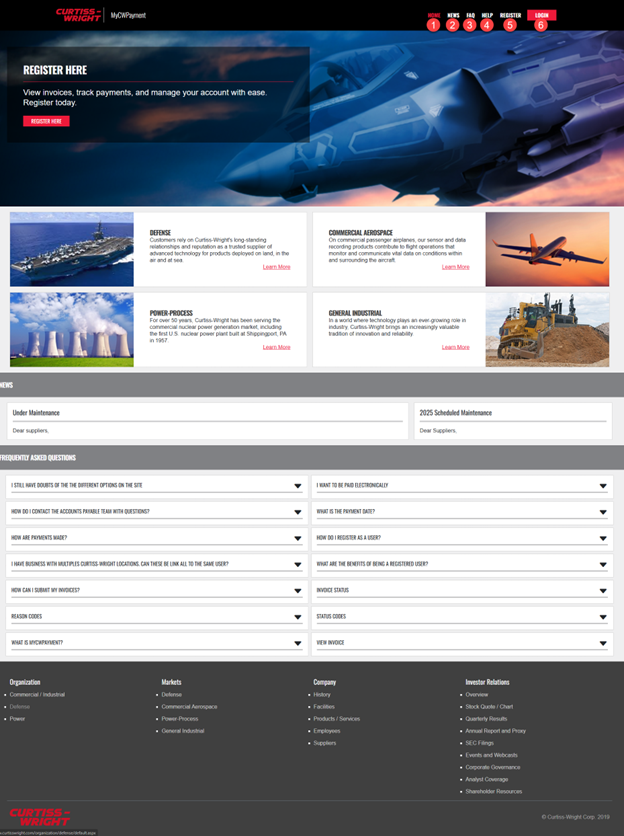
1-Home
Our landing page when accessing mycwpayment.com. Within it, general information regarding Curtiss Wright can be found and provides visibility to any announcements and news to our suppliers regarding their payments.
2-News
Access our latest communications to all our suppliers. We will include here important updates such as the site maintenance, current campaigns, and others.
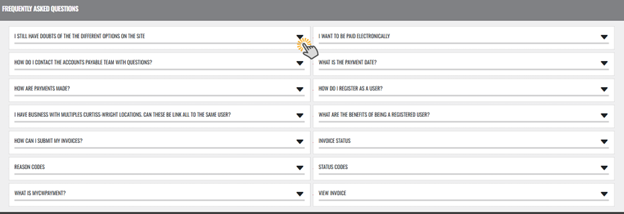
3-FAQ
Grants access to a list of common questions that suppliers might encounter when visiting the supplier portal.
4-Help
A quick and helpful guide on how to navigate through myCWPayment home page.
 5-Register
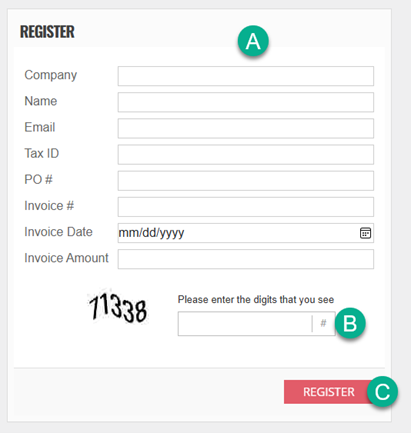
A - To register, suppliers will need to fill in the information listed above. All fields are mandatory except for the purchase order in case of a non-po supplier.
B - Fill in a captcha
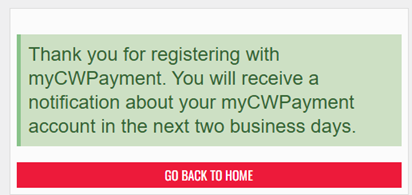
C - When all the fields have been populated, click on Register and automated request will be sent to the CW AP team. We will validate the information and approve the access as well as assigning all the related activity.
 6-Login
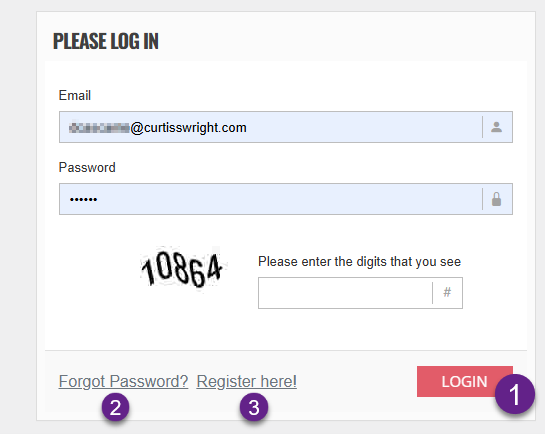
To log in, you only need to complete the appropriate fields with your user and password and complete a simple captcha.
1. Once the data fields have been populated click on Login and you will connect to myCWPayment.
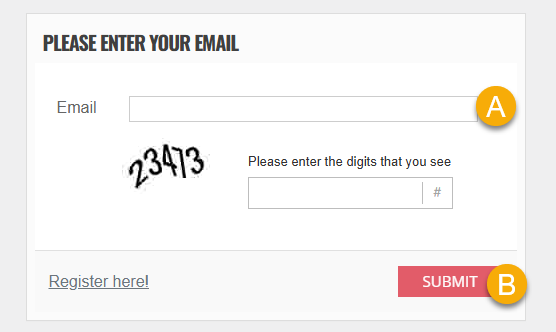
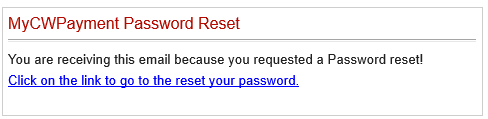
2. In case a password is forgotten, click on forgot password. Then add your email address (A) and click submit (B)
3. In case registration is required, a link has been included so that suppliers can quickly register by following the steps on chapter 5.